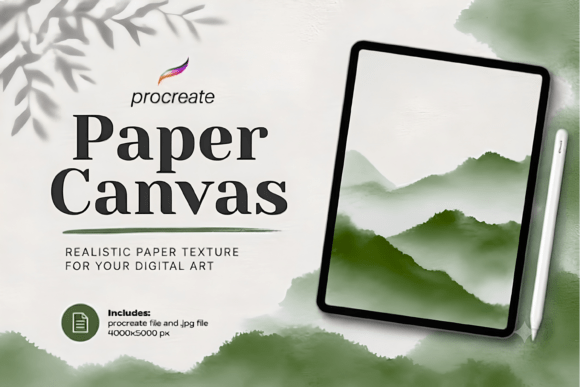
Procreate Paper Canvas Realistic Texture Guide
Digital art often struggles with the sterile perfection of a blank screen. While tablets offer incredible precision, they lack the tactile feedback and visual warmth of traditional media. The Procreate Paper Canvas Realistic Texture addresses this specific gap by providing a high-resolution foundation that mimics the subtle imperfections of physical paper. This texture pack is designed to bridge the divide between digital convenience and organic aesthetics, allowing artists to create work that feels grounded and authentic without sacrificing the efficiency of a digital workflow.
For illustrators and watercolor creators, the canvas is not merely a background; it is an active participant in the creative process. A flat white layer can make digital brushes appear artificial, regardless of their quality. By integrating a soft, realistic paper grain directly into the canvas settings, your brushwork interacts with the surface just as pigment would on actual fiber. This interaction adds immediate depth and character, transforming clean vector-like strokes into expressive marks that carry the weight of traditional craftsmanship.
Elevating Digital Watercolor and Gouache Techniques
Watercolor and gouache are mediums defined by their relationship with paper texture. The way pigment settles into the tooth of the page creates the characteristic blooms, granulation, and dry-brush effects that define these styles. When working digitally, replicating this behavior requires more than just a textured brush; it requires a textured environment. The Procreate Paper Canvas Realistic Texture provides the necessary surface resistance visually, allowing wet media brushes to break up naturally against the grain.
This is particularly valuable for artists who scan traditional sketches or paint over line art. If you begin with a smooth canvas, adding texture later as an overlay can sometimes look pasted on or disjointed from the underlying color layers. Starting with a textured canvas ensures that every subsequent layer inherits that organic quality cohesively. For digital watercolorists, this means washes appear to soak into the surface rather than sitting on top of it, resulting in illustrations that retain the delicate transparency and fluidity of real paint.
Technical Specifications for Professional Print Output
Resolution is a critical factor when selecting textures for professional work. Many free or low-quality textures degrade when scaled up for print, revealing pixelation or repetitive patterns that ruin the illusion of paper. This texture pack includes a high-resolution JPG file measuring 4000 x 5000 pixels, specifically optimized for Procreate’s canvas dimensions. This size strikes a practical balance, offering sufficient detail for large-format printing while maintaining manageable file sizes that do not slow down layer performance on iPad devices.
The 4000 x 5000 px specification supports standard aspect ratios used in illustration and printable art products. Whether you are creating A3 posters, book covers, or social media assets, the resolution ensures the paper grain remains crisp and subtle even at high zoom levels. For Etsy sellers and freelance illustrators delivering print-ready files, this technical reliability eliminates the guesswork and post-production cleanup often associated with lower-quality texture resources. You can confidently export CMYK or RGB files knowing the foundational texture will hold up under professional scrutiny.
Streamlining Workflow for Commercial Illustrators
Professional creators often face tight deadlines where efficiency is as important as aesthetic quality. Building custom paper textures from scratch or adjusting blend modes on multiple overlay layers consumes valuable time and processing power. Using a dedicated Procreate Paper Canvas Realistic Texture simplifies this setup phase. Instead of managing complex layer stacks to achieve a paper effect, you import the texture once as your base canvas and proceed directly to painting.
This streamlined approach also reduces cognitive load. When the canvas already possesses the desired tactile quality, you spend less mental energy compensating for digital sterility and more energy on composition and storytelling. For artists producing content for social media or client deliverables, this consistency helps establish a recognizable visual style. Clients expecting a hand-drawn aesthetic receive artwork that meets those expectations natively, reducing revision rounds related to making digital art look "less digital."
Versatility Across Sketching and Painterly Styles
While often associated with watercolor, realistic paper textures serve a broad range of artistic applications. Pencil and charcoal sketchers benefit immensely from the tooth provided by this texture pack. Digital pencil brushes rely on surface variation to create realistic shading and line weight variation; on a smooth canvas, graphite brushes can look like plastic smudges. Against a realistic paper grain, these same brushes produce convincing lead deposits and eraser marks that mirror traditional sketchbook studies.
Similarly, soft painterly artwork and digital oil painting gain nuance from a textured foundation. The subtle grain breaks up solid areas of color, preventing large fields of digital paint from appearing flat or banding. This is especially useful for background elements in illustrations where you want to suggest atmosphere without rendering excessive detail. The texture acts as a unifying filter, tying together disparate elements and brush types into a cohesive visual language that feels intentionally crafted rather than procedurally generated.
Considerations for Optimal Integration
To maximize the effectiveness of the Procreate Paper Canvas Realistic Texture, users should understand how it interacts with Procreate’s native tools. Unlike a standard image layer, importing this file as a canvas texture embeds the grain into the workspace itself. This distinction matters because canvas textures affect all layers uniformly and respond to the canvas blending settings in the Actions menu. Artists accustomed to using texture overlays may need to adjust their opacity preferences, as canvas textures tend to be more integrated and less adjustable per-layer than overlay images.
It is also worth noting that this texture is designed to be subtle. It enhances artwork without overpowering brushwork, which makes it ideal for finished pieces but potentially less suitable for artists seeking heavy, coarse watercolor paper effects or dramatic grunge aesthetics. Users looking for extreme texture may need to combine this canvas with additional brush-specific textures. However, for the vast majority of illustration, sketching, and commercial design tasks, the balanced grain provides the most versatile starting point that improves the final result without dictating the artistic direction.
Practical Applications for Digital Product Creators
For entrepreneurs and educators selling digital downloads, presentation is paramount. Artwork displayed on screens often lacks the context of physical media, making it harder for customers to visualize the final printed product. Utilizing a realistic paper texture in your source files creates mockups and previews that communicate tangible value. When a customer sees a digital planner sticker or wall art print rendered on a textured surface, they intuitively understand the quality and intended use case.
This texture pack serves as an instant upgrade for Etsy listings, Patreon exclusives, and educational course materials. Because it is an instant digital download with no physical shipping, creators can integrate it into their production pipeline immediately. The universal compatibility with Procreate ensures that whether you are a hobbyist exploring traditional styles or a small business owner scaling your product line, the asset delivers consistent, professional results that enhance the perceived value of your digital offerings.