Paint Brushes Svg and Art Brush Silhouette: A Practical Guide for Creators
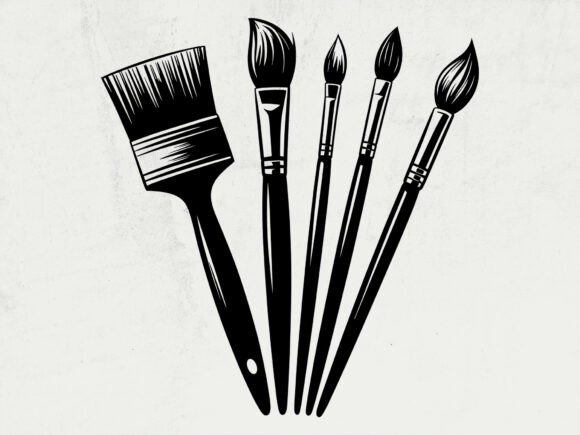
When searching for the perfect artistic assets for your next project, finding a high-quality Paint Brushes Svg or an elegant Art Brush Silhouette can transform a simple design into something professional and evocative. These digital elements are essential for crafters, small business owners, and designers who want to convey creativity without hand-drawing every element from scratch. However, the difference between a frustrating experience and a seamless workflow often lies in understanding exactly what you are downloading and how to utilize it correctly. Many creators overlook critical technical details that affect cut quality, print resolution, and commercial viability.
Understanding the Digital Asset Format
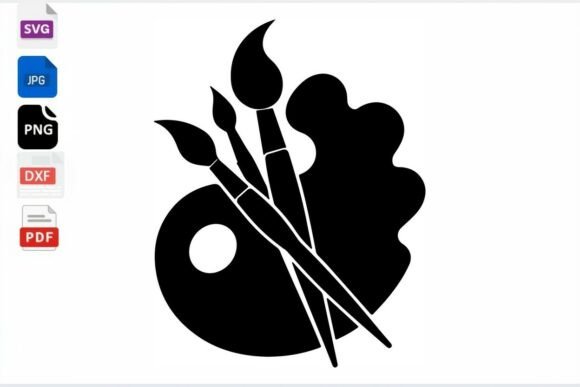
A common misunderstanding among beginners is assuming all vector files function identically across different platforms. When you acquire a Painter Artist Svg bundle, you are typically receiving a collection of formats designed for specific end-uses. This listing provides four distinct file types: SVG, EPS, PNG, and DXF. Each serves a unique purpose, and using the wrong one is the most frequent cause of poor results.
- SVG File: The industry standard for cutting machines like Cricut and Silhouette. It retains scalability and layer information.
- EPS File: Best for professional vector software such as Adobe Illustrator or CorelDRAW. It allows for deep editing of anchor points.
- PNG Print Ready File: A raster image at 300 DPI. This is crucial for sublimation or direct printing but cannot be resized infinitely without pixelation.
- DXF File: Specifically formatted for older versions of Silhouette Studio or CAD-based laser cutters.
Selecting the correct format prevents wasted time. If you attempt to use a PNG for vinyl cutting, you will likely encounter jagged edges and excessive weeding time because the machine is tracing pixels rather than following clean vector paths. Conversely, trying to print an SVG directly from a basic photo printer may result in low-resolution output if the software does not properly interpret the vector data.
Evaluating Resolution and Dimensions
Size matters significantly in digital design. This specific asset pack is sized at 15″ x 18” with 300 DPI resolution. A practical mistake many users make is failing to check these dimensions before starting a project. While vectors (SVG/EPS) are theoretically infinite, the accompanying PNG is fixed at this resolution. If your project requires a banner larger than 18 inches and you rely solely on the PNG, the image will become blurry.
Always verify the canvas size of your design software matches or exceeds the source file dimensions. For the best results, set up your workspace to 15″ x 18” immediately upon import. If you need a smaller art brush silhouette, scale it down within the vector environment rather than resizing a rasterized export. Maintaining the 300 DPI standard ensures that whether you are creating stickers, t-shirts, or wall art, the ink coverage remains crisp and professional.
Navigating Commercial Use and Licensing
For entrepreneurs and freelancers, licensing is where financial and legal risks emerge. This product allows for personal and commercial use, meaning you can create physical products to sell. However, a critical distinction must be made: you may not resell the digital files themselves.
Misinterpreting this license is a costly error. You cannot take this Paint Brushes Svg, alter it slightly, and sell it as a new digital download on Etsy or Creative Market. That constitutes redistribution. Instead, apply the design to tangible goods like mugs, apparel, signage, or stationery. The value you add comes from the finished physical product, not the raw digital asset. Always keep a record of your purchase receipt to prove licensure should a platform ever audit your shop. Understanding this boundary protects your business and respects the original creator's intellectual property.
Technical Pitfalls in Cutting and Printing
Even with the right file, technical execution can fail if you ignore node management. Complex art brush silhouettes sometimes contain thousands of tiny anchor points. When sent to a cutting machine, this can cause stuttering, blade drag, or incomplete cuts. Before cutting, inspect the SVG in your design software. Use the "simplify" or "optimize" tool to reduce unnecessary nodes while maintaining the shape's integrity.
Additionally, ensure your cutting mat settings match the material thickness. A detailed paintbrush graphic requires a sharp blade and slower speed to preserve fine bristles and handles. Rushing the cut with default settings often ruins intricate designs. For printing, ensure your color profile is set to CMYK if sending to a professional printer, or RGB for home printers, to avoid unexpected color shifts in the black and grey tones typical of brush silhouettes.
Maximizing Value Through Proper Workflow
To get the most out of this instant download, establish a consistent file management system. Since this is a digital product with no physical shipment, organization is entirely your responsibility. Create dedicated folders for SVG, EPS, PNG, and DXF files immediately after downloading. Rename files descriptively rather than keeping generic codes. This saves hours of searching later when you are mid-project.
Consider how the Painter Artist Svg integrates with other elements. These brushes work exceptionally well as framing devices for typography or as standalone logos for art supply businesses. Test the design on scrap material before committing to expensive vinyl or transfer paper. A test cut reveals connectivity issues or sizing problems without financial loss. This proactive approach separates hobbyists from professionals.
Making Informed Design Decisions
Before finalizing your purchase or application, ask yourself if the style of the brush matches your brand aesthetic. Not all art brush silhouettes suit every niche. A rough, textured brush conveys tradition and grit, while a smooth, flowing line suggests modern elegance. Aligning the visual tone with your target audience prevents disconnects in marketing materials.
Furthermore, verify compatibility with your specific software version. While SVG and DXF are widely supported, some legacy programs struggle with newer vector standards. Checking compatibility upfront avoids the frustration of unopenable files. If you encounter issues, consult your software’s documentation regarding imported vectors before assuming the file is corrupt.
By approaching Paint Brushes Svg and Art Brush Silhouette assets with technical awareness and respect for licensing, you elevate your creative output. Avoiding common pitfalls regarding format selection, resolution limits, and usage rights ensures that your investment yields professional, sellable results. Remember to rate the design if it meets your needs, as feedback helps maintain quality standards in the digital marketplace. Enjoy creating with confidence, knowing your foundation is solid.