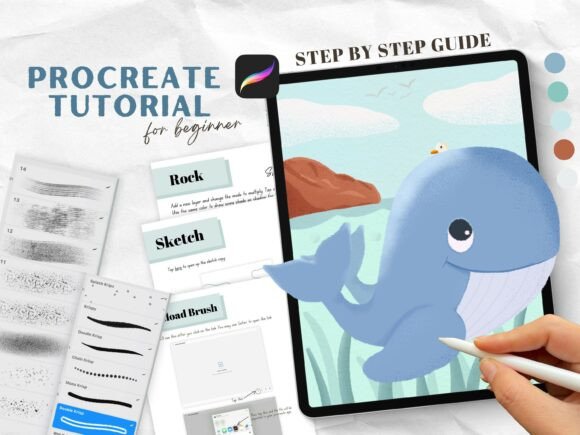
Mastering Digital Illustration: A Step-by-Step Procreate Guide to Drawing a Storybook Whale
The transition from traditional art to digital illustration can often feel overwhelming for beginners. The interface of professional software, the endless array of brushes, and the complexity of layer management frequently create a barrier to entry that stifles creativity before it truly begins. However, the modern creative landscape demands digital literacy, whether for personal expression, freelance work, or educational purposes. Bridging this gap requires more than just technical manuals; it requires structured, project-based learning that builds confidence alongside skill. This is where a dedicated Procreate Illustration Drawing Guide becomes an essential tool for aspiring artists.
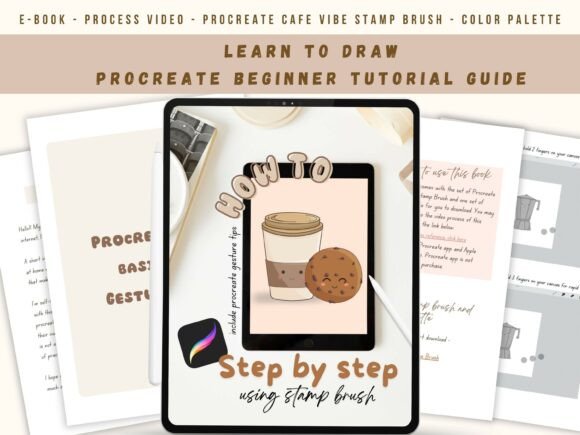
Learning how to draw step by step with an easy drawing guide using Procreate transforms the abstract concept of "digital art" into a manageable, enjoyable process. By focusing on a specific, achievable project—such as drawing a digital cute whale in a storybook style—learners can master fundamental techniques without getting lost in theory. This approach not only teaches the mechanics of the app but also instills the artistic principles of shading, texturing, and color theory in a practical context.
The Power of Project-Based Learning in Digital Art
In both education and professional development, project-based learning has proven superior to rote memorization of tools. When you engage with a step by step drawing guide tutorial, you are not merely learning what a button does; you are learning why and when to use it. Creating a storybook-style whale serves as the perfect vehicle for this type of learning because it encompasses a wide range of skills within a single, cohesive image.
Unlike hyper-realistic digital painting, which can be discouragingly complex for novices, the storybook aesthetic focuses on charm, shape language, and texture. This style is highly relevant in today’s market, dominating children’s publishing, surface pattern design, and social media content creation. By mastering this specific aesthetic through a guided ebook, artists build a portfolio piece that demonstrates both technical proficiency and stylistic voice. Furthermore, the structured nature of a guide eliminates the "blank canvas paralysis" that plagues many self-taught artists, providing a safe environment to experiment with digital shading and highlighting.
Deconstructing the Digital Workflow: From Sketch to Texture
A common misunderstanding among beginners is that digital art is simply about finding the right brush. In reality, successful digital illustration is about workflow and layer management. A comprehensive Beginner Starter Pack addresses this by breaking down the creation process into distinct, digestible phases. When you learn to color, shade, highlight, and add texture to a whale using Procreate apps through a guided method, you are internalizing a professional workflow.
Understanding Layer Hierarchy
One of the most critical aspects of digital drawing is understanding how layers interact. Novices often draw everything on a single layer, making corrections nearly impossible. A high-quality guide provides access to a Procreate file where you can see all the layerings. This transparency allows you to reverse-engineer the artist's thought process. You can observe how the base color sits beneath the shading, how highlights are added on top, and how texture overlays bind the composition together. This visual deconstruction is invaluable for building long-term success.
The Role of Custom Brushes and Textures
Texture is what separates flat, amateur digital drawings from professional storybook illustrations. Standard Procreate brushes can sometimes look too clean or synthetic. This is why specialized resources, such as the Krisp procreate brush set and Grain Shading procreate brush set, are integral to the learning process. These tools mimic the organic imperfections of traditional media like charcoal, crayon, or watercolor paper. When combined with a dedicated paper texture JPEG, these brushes allow beginners to achieve a tactile, hand-drawn feel immediately, bypassing years of trial and error in brush customization.
What Makes a Comprehensive Ebook Guide Effective?
Not all tutorials are created equal. To truly build a foundation for success, an ebook guide must offer more than just screenshots. It must provide the actual assets required to replicate the results. When evaluating a digital drawing step by step with shade and texture resource, look for a holistic package that removes friction from the learning experience. A superior Beginner Starter Pack should include specific components designed to support every stage of the artistic journey.
- 1 PDF Step-by-Step Drawing Guide: The core instructional material that walks you through the logic of each stroke and decision.
- 1 Colour Palette for Procreate: Pre-selected harmonious colors that teach color theory implicitly and prevent the anxiety of choosing from millions of options.
- 1 Set of Krisp Procreate Brush Set: Specialized tools for creating crisp lines and defining shapes with character.
- 1 Set of Grain Shading Procreate Brush Set: Essential for adding depth, volume, and that coveted storybook texture.
- 1 Procreate File with Visible Layerings: A reference document allowing you to inspect the construction of the final piece.
- 1 Whale Sketch Procreate File: A tracing or reference base that helps beginners focus on rendering rather than struggling with initial proportions.
- 1 Paper Texture JPEG: A background element that unifies the digital strokes into a cohesive, traditional-looking medium.
This level of preparation ensures that almost everything is prepared for you, allowing you to focus entirely on the act of learning and creating. It shifts the cognitive load from "gathering resources" to "absorbing skills."
Overcoming Common Digital Art Misconceptions
As you embark on this journey with a step-by-step guide, it is helpful to address a few prevalent myths that hinder progress. First, many believe that digital art requires innate talent. In truth, illustration is largely a series of learned procedures. By following a structured tutorial for a cute whale, you are practicing a repeatable system that can eventually be applied to any subject matter.
Secondly, there is an assumption that using pre-made brushes or sketch files is "cheating." On the contrary, professional illustrators utilize asset libraries constantly to maintain efficiency and consistency. Using a provided whale sketch file is akin to a musician practicing scales; it is a foundational exercise that trains your hand and eye coordination. The goal of the ebook is to build you toward success, and utilizing these tools is part of that professional development.
Finally, beginners often underestimate the importance of color palettes. Color theory is a deep discipline, but having a curated palette included in your starter pack allows you to see how colors interact in a successful composition before you fully understand the underlying math. This experiential learning accelerates your intuitive grasp of color harmony.
Practical Relevance in Modern Creativity
The skills acquired through this specific type of guide extend far beyond drawing a single whale. In the modern gig economy and creative industry, the ability to produce textured, emotive digital illustrations is highly marketable. Self-publishing authors, educators creating classroom materials, and small businesses seeking authentic branding all value the storybook aesthetic.
Moreover, the mental health benefits of structured creative practice cannot be overstated. In a world dominated by rapid-fire digital consumption, sitting down to follow a mindful, step-by-step drawing tutorial offers a meditative respite. It combines the satisfaction of tangible progress with the relaxation of artistic flow. Whether you aim to launch a career in illustration or simply seek a fulfilling hobby, the discipline learned through completing a comprehensive guide lays the groundwork for lifelong creative habits.
Starting Your Digital Illustration Journey
The path to digital art mastery does not require expensive courses or years of art school. It requires the right guidance, the proper tools, and the willingness to follow a proven process. With a Procreate Illustration Drawing Guide that includes custom brushes, palettes, and layered reference files, the barrier to entry is significantly lowered. You are not just buying an ebook; you are acquiring a mentorship in digital form.
By learning to draw a digital cute whale with shade and texture, you are validating your ability to manipulate digital tools to create something warm and human. Almost everything is prepared for you to build you to success with this ebook guide. Just grab them today and start drawing. The combination of structured instruction and ready-to-use assets provides the fastest, most enjoyable route from beginner confusion to confident creation. Embrace the process, trust the guide, and watch your digital illustration skills flourish one layer at a time.